


Monitor And Optimize
Monitor and Optimize in Asset Performance Management (APM) is essential for maintaining asset efficiency and reliability. It utilizes a Dashboard to provide a centralized, real-time view of key performance indicators and operational data, facilitating informed decision-making. Digital Twin Visualization creates a virtual replica of physical assets, enabling detailed monitoring, simulation, and analysis of asset behavior under various conditions. This visualization helps in understanding and predicting performance issues. Maintenance Strategy Insights are derived from the analysis of collected data, guiding the development of proactive maintenance plans that reduce downtime and extend asset lifespan. Together, these components ensure optimal asset performance and operational excellence.
To access the Monitor and Optimize module, go to Genix Platform > Digital App Center > My Apps > APM Model Configuration and Deployment > Monitor and Optimize.
Monitor and Optimize consists of the following module:
-
Dashboard— Serves as the central hub for monitoring and optimizing asset health and performance.
-
Performance Monitoring Workplace— Provides a 360° view of asset and system health with actionable insights using derived and predicted parameters.
-
Predictive Maintenance Workplace— Offers an enterprise-level view of equipment performance through tiles, charts, and graphs.
-
Maintenance Dashboard— Delivers key maintenance KPIs and insights to optimize performance and reduce operational risks.
-
Vibration Monitoring— Displays vibration asset summaries with details like event time, location, and failure modes.
-
Digital Twin visualization— Shows configured systems in interactive card and list views, enabling parameter, KPI, and schematic visualization.
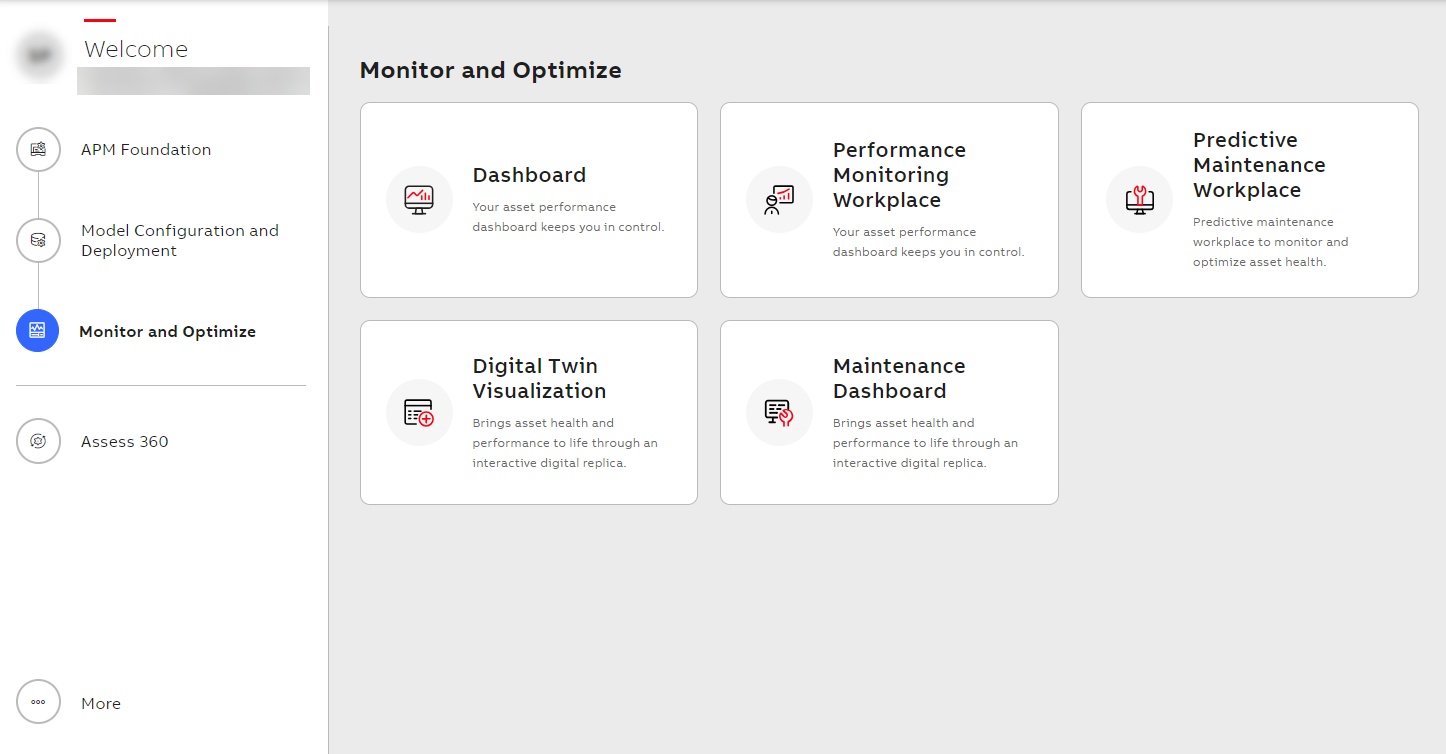
Monitor and Optimize
Related Topics